Inbox Help Desk · Features
Every conversation, one list
Chats, emails and DMs sit in one list, newest first. Filter by channel, label, team or who it's assigned to.
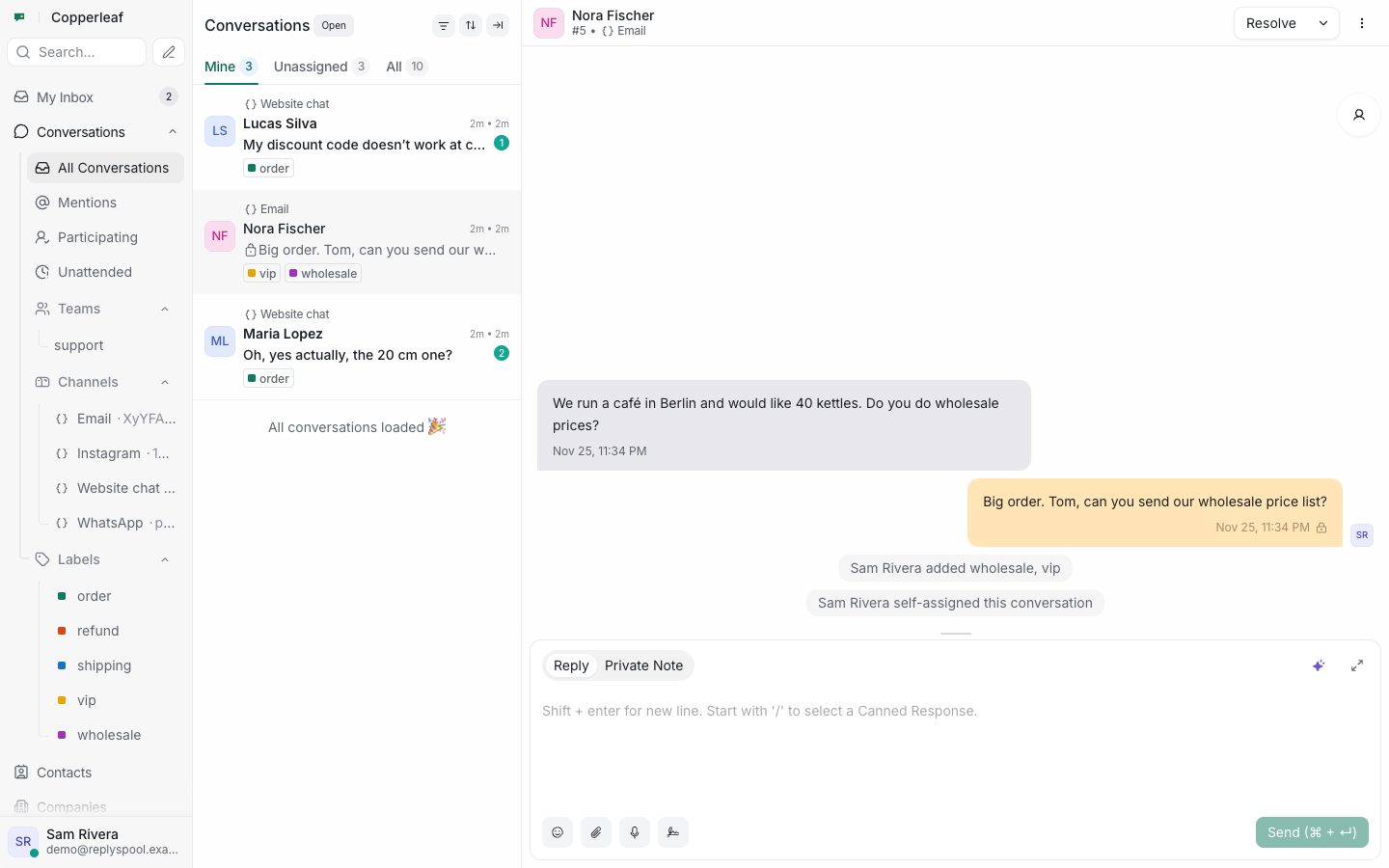
A real screen of Inbox Help Desk, with sample data.
Website chat, email, WhatsApp, Instagram and the rest arrive in one list. Each conversation shows where it came from, who has it and its labels, so two people never answer the same customer.
Private notes sit inside the conversation and the customer never sees them. Mention a teammate with @ and they're told. Snooze a conversation and it comes back when you said.
- Mine, unassigned and all tabs
- Private notes your customer never sees
- Snooze a chat until tomorrow
How to use it
- Connect a channel under Settings, Inboxes.
- Messages start landing in Conversations.
- Assign, label, reply or resolve.
More in Inbox Help Desk
Saved replies and macros
Type a slash, pick the answer, send. Write it once and the whole team uses it.
Automations
Rules run when a message comes in: label it, send it to the right team, answer outside office hours.
Reports
First reply time, time to resolve, busy hours and each person's numbers, by day or by week.